Stop Buying Web Design Leads: How to Build Your Own List for a Fraction of the Cost
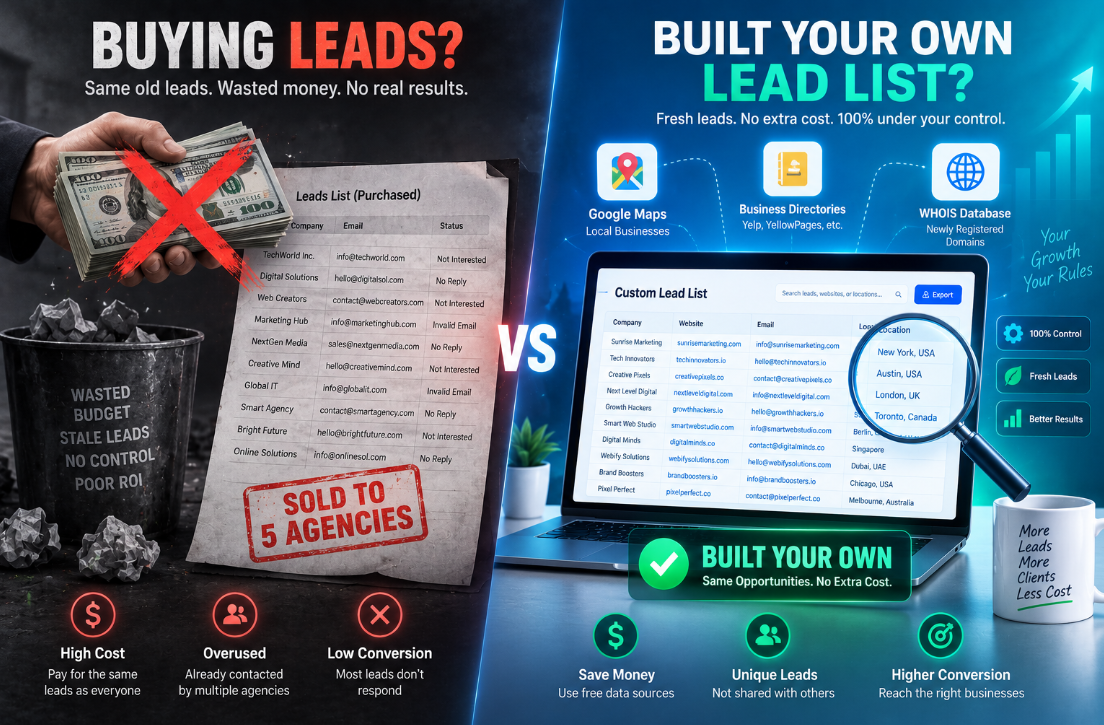
Many web design agencies and freelancers, especially those just starting out, consider buying leads as a shortcut to growth. The appeal is obvious: instead of waiting months for SEO and content marketing to work, you pay a third party and receive contact information for businesses supposedly looking for web design services.
Unfortunately, the reality is rarely that simple.
Purchased leads are typically sold to multiple buyers. That means the same prospect is contacted by five, ten, or even twenty competing agencies within hours. Prospects become overwhelmed, defensive, and quick to ignore outreach.
Even when purchased leads are genuine, they are rarely well qualified. They may have tiny budgets, unclear goals, or unrealistic expectations. You often spend your first conversations educating them about what professional web design even is.
By contrast, leads who find you organically through search, referrals, or thought leadership already recognize your expertise. They come with a warmer perspective and are often more prepared to invest in quality work.
The "Rented Leads" Problem
Think of it this way: when you buy leads, you're renting someone else's audience. Most agencies are renting their pipeline, leads coming from platforms, referrals, and Facebook groups. They feel busy, but they are not in control because those leads are not theirs.
Owned leads are different. Your website, your domain, your SEO, your content, that is your asset. It's something you build once and keep improving over time. Something that keeps generating enquiries for your business long-term.
It is the difference between renting a house and owning one. When you rent, you're not in control. When you own your lead generation system, you control the traffic, the enquiries, the growth.
How to Build Your Own Web Design Lead List
1. Use Google Maps for Local Prospecting
Google Maps is a free goldmine for finding local businesses that need your services.
Tools like PingoViral scan Google Maps for local businesses in any city and filter down to businesses without a website, or with broken or expired ones. They capture business name, address, phone, rating, review count, and Google Maps URL.
Open Google Maps, search any local-business type, and scan the results. Every business that does not have a website is a potential lead. For many agencies, the free tier covers everything needed to scan, build demo sites, and pitch.
LeadForge offers similar functionality: search any US city and category, get instant no-website leads. It's designed specifically for freelance web designers to find 100s of leads with the click of a button.
2. Use AI-Powered Lead Generation Platforms
Clay's Sculptor tool can build a list of businesses actively seeking web design services in your target market. It queries Google Maps for small businesses in your target city or industry, then flags those with outdated or missing websites so your list is pre-qualified.
Here's what makes this approach powerful:
Claygent flags weak website design signals, checking brand uniformity, tech stack, and design quality, so you focus outreach on the highest-fit rows
Waterfall enrichment lifts owner email coverage from roughly 30% (single provider) to 80% or higher by sequencing multiple data providers
Google Maps returns up to 1,000 results per search, and you can run multiple searches across different cities or categories
3. Leverage Agency Directories
Clutch is a curated directory with roughly 280,000 agency profiles indexed, filtered by service line, location, team size, and hourly rate. Every profile includes a claim of specialisation, a portfolio, and in most cases the name of the founder or managing director.
For anyone running outbound into the agency vertical, this is the easiest list available. The free scraping method can pull targeted agency lists in under 15 minutes.
Service line: the single most important filter
Location: country at minimum, city or metro for local outreach
Team size: filter on 10 to 49 or 50 to 249 depending on your target
Hourly rate: a proxy for revenue band
Minimum project size: cuts out agencies that sell tiny engagements
Review count: floor of 5 reviews removes dormant profiles
Most operators stop at service line plus location and wonder why their list has thousands of mixed-fit agencies. Adding the last four filters cuts the list to exact-fit targets with minimal manual review needed.
DesignRush is another valuable directory, with scrapers available to extract verified B2B agency leads, including SEO, PPC, Shopify, AI, Webflow, and digital agencies worldwide. The scraper runs at roughly $2.50 per 1,000 results.
4. Build an Automated Lead Generation Workflow
For agencies with technical capabilities, an n8n workflow system can automate the entire process:
Daily lead discovery: discovers 50-100 prospects daily using Yelp API with multi-industry targeting
Email discovery: via Hunter.io
Initial website performance analysis: lead scoring algorithm (0-100 points)
Comprehensive AI-powered website assessment: design quality, performance, and business impact analysis
Dynamic email template selection: with advanced personalization
Response handling: AI-powered classification, sentiment analysis, and intent detection
The Verification Step
Before any business enters outreach, every record needs a manual check. This is the step that keeps a local list from becoming stale and embarrassing.
Check whether the business is active: Look at recent reviews, hours, owner posts, phone number, and the profile's overall activity. A business with reviews from the last few months is usually a better prospect than one with no sign of life for years.
Check the website and customer path: Open the website from the listing. Think like a customer: can a person understand the services? Can they call, request a quote, or get a simple answer?
Write an outreach note: Every prospect should have one note that explains the reason for contact. It might be "28 recent reviews, no site on Maps" or "active Google profile, service pages missing." If your note reads "needs marketing," it is not specific enough.
Score Your List
Use a simple green-yellow-red system:
Green: active, clear service, realistic fit for your offer, and one visible online gap you can explain
Yellow: possible fit, but the business needs more research or the contact path is unclear
Red: closed, incorrect data, a good existing site, no clear fit, or no honest reason to contact them
Only green records go into the first campaign. Yellow records can be revisited later if you learn more.
Set a Refresh Schedule
Freshness comes from a routine. Do not wait six months and wonder why half the list is wrong. Revisit the records on a schedule:
For a small weekly prospecting process, review new data every week
Refresh uncontacted prospects every 30 to 60 days
For an active campaign, check the business immediately before you reach out
Add a "last checked" field to your spreadsheet. If a record has not been reviewed in 60 days, treat it as a research lead again, not a verified prospect. This keeps you from calling a business that closed, moved, or fixed the exact problem you planned to pitch.
Keep the Outreach Connected to the Research
The prospect should immediately understand why you contacted them. Use the note you wrote in the list. Mention the business, the visible issue, and one practical outcome you can help with.
"I came across your Google listing while looking at landscaping companies in the area. You have a lot of recent reviews, but there is no website for customers to use after they find you."
Start Building Your List Today
Generating web design leads through your own list-building process is simple:
Use Google Maps to find local businesses without websites
Leverage AI tools like Clay to enrich and score leads
Scrape directories like Clutch or DesignRush for agency leads
Verify each business manually
Score your list with a simple system
Set a refresh schedule
Keep outreach connected to your research
The tools exist. The data is available. Hundreds of thousands of businesses need web design services and you can find them before your competitors do.
Ready to automate your lead generation? GetWhoisDB helps you find prospects through domain intelligence, automated website audits, and conditional email campaigns, all from one dashboard. Start your free trial today.